
Every developer has done it at least once: accidentally committed a .DS_Store file, a .idea/ folder, or some other machine-specific artifact into a shared repository. A per-project .gitignore helps, but you have to repeat yourself in every repo. The solution is a global .gitignore — a single file that Git applies to every repository on your machine.
How Git decides what to ignore
Git evaluates ignore rules from three sources, in order of specificity:
.gitignorefiles inside the repository (committed, shared with the team).git/info/excludeinside the repository (local, not committed)- The file pointed to by
core.excludesFilein your global Git config (applies to every repo on the machine)
The global exclude file is the right place for rules that are specific to your machine or tooling, not to a project. See the official gitignore documentation for the full resolution order.
Step 1 — Create the file
By convention the file is named .gitignore_global and lives in your home directory, but you can place it anywhere and call it anything.
Linux / macOS:
touch ~/.gitignore_global
Windows (PowerShell):
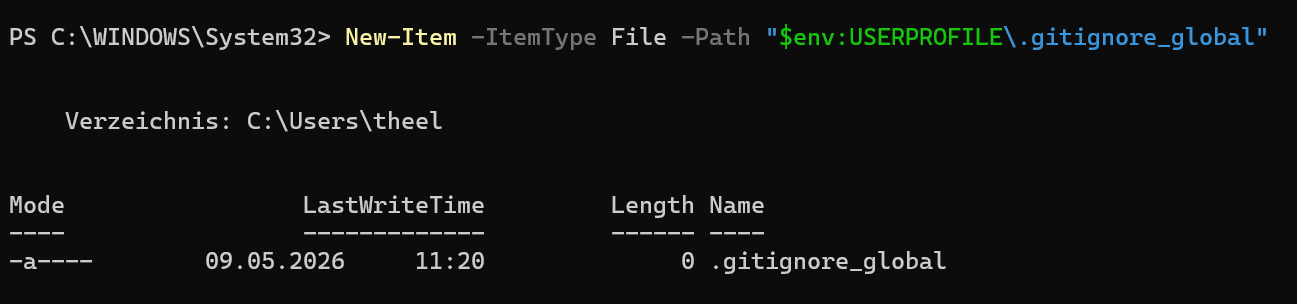
New-Item -ItemType File -Path "$env:USERPROFILE\.gitignore_global"
Step 2 — Tell Git about it
Register the file with Git via the core.excludesFile config key.
Linux / macOS:
git config --global core.excludesFile ~/.gitignore_global
Windows (PowerShell):
git config --global core.excludesFile "$env:USERPROFILE\.gitignore_global"
This writes one line into ~/.gitconfig (Linux/macOS) or %USERPROFILE%\.gitconfig (Windows):
[core]
    excludesFile = /home/you/.gitignore_global
You can verify it was written correctly:
git config --global core.excludesFile
git config --global core.excludesFile
Both should print the path you set.
Step 3 — Populate the file
What belongs here is anything that is generated by your operating system, editor, or toolchain — not by the project itself.
A practical starting point:
# macOS
.DS_Store
.AppleDouble
.LSOverride

# Windows
Thumbs.db
ehthumbs.db
desktop.ini

# Linux
*~
.nfs*


# Vim / Neovim
*.swp
*.swo
Session.vim

# Emacs
\#*\#
.\#*

# direnv
.envrc

# mise / asdf version managers
.tool-versions
.mise.toml
Rules use the same glob syntax as a regular .gitignore. Blank lines and lines starting with # are ignored.
Generating rules automatically
Maintaining this list by hand gets tedious. gitignore.io (also accessible via API) generates tailored ignore rules for any combination of operating systems, editors, and languages. For example, to get rules for macOS + Windows + JetBrains + Go in the terminal:
Linux / macOS:
curl -sL "https://www.toptal.com/developers/gitignore/api/macos,windows,jetbrains+all,go" \
  >> ~/.gitignore_global
Windows (PowerShell):
Invoke-WebRequest -Uri "https://www.toptal.com/developers/gitignore/api/windows,jetbrains+all,go" `
  -UseBasicParsing | Select-Object -ExpandProperty Content `
  | Add-Content -Path "$env:USERPROFILE\.gitignore_global"
The GitHub team also maintains a curated collection of templates at github/gitignore. Each file there covers one language or tool and is a reliable reference.
Verify it works
Create a throwaway file that matches a rule and confirm Git ignores it:
Linux / macOS:
cd /tmp && git init test-repo && cd test-repo
touch .DS_Store
git status
Windows (PowerShell):
$null = New-Item -ItemType Directory -Path "$env:TEMP\test-repo"; cd "$env:TEMP\test-repo"
git init
New-Item -ItemType File -Path "Thumbs.db"
git status
git status should report a clean working tree — the file is invisible to Git.

Caveats
- Rules are additive, not overriding. A pattern in
.gitignore_globaldoes not override a!negationin a project’s.gitignore. The most specific matching rule wins. - Already-tracked files are not affected. If a file is already committed to a repository, adding it to any
.gitignore(including the global one) will not untrack it. You needgit rm --cached <file>first. - Team members need their own setup. The global exclude file is purely local; it is never committed. If a pattern should apply to everyone on a project, put it in the project’s
.gitignoreinstead.
Conclusion
A global .gitignore is a one-time setup that silently prevents a whole class of accidental commits across every repository on your machine. Set it up once, keep it focused on machine- and tool-specific artifacts, and leave project-specific rules to the per-repository .gitignore.