Every time I prepare a conference talk, the same annoyance comes back: PowerPoint and Keynote are built for office documents, not for developer content. Code snippets get mangled by autocorrect, syntax highlighting is a manual chore, and every deck lives as an opaque binary file that is painful to diff, review, or version in Git.
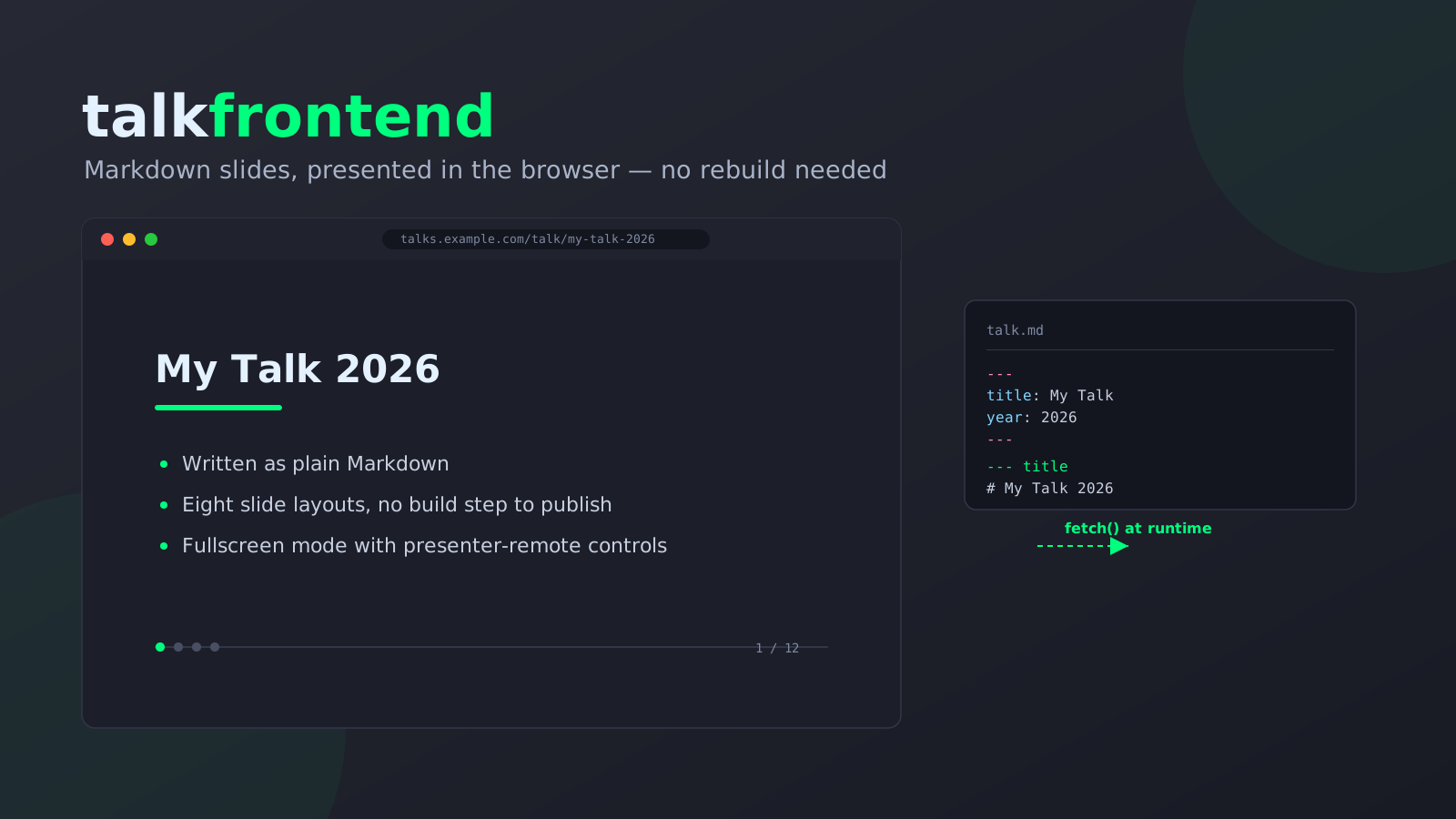
So I built talkfrontend — a lightweight web viewer for talk slides. Presentation-style, but as a React web app instead of an Office document. Slides are authored as plain Markdown and loaded at runtime, so publishing a new talk never requires a rebuild or redeploy of the app itself.
You can see it running live with my own talk archive, going back to 2021, at talks.noobygames.de — also linked from my Talks & Podcasts page.
Why Markdown slides?
A slide deck is developer content. It deserves developer tooling:
- Git-friendly — talks are plain text, so
git diffactually shows you what changed between two versions of a talk. - Portable — a
talk.mdfile can be read, edited, or generated by any tool, including an LLM, without touching a binary format. - No vendor lock-in — no proprietary
.pptx/.keyformat, no license required to view or edit a talk. - Correct code by construction — snippets are fenced Markdown code blocks, so they’re never silently “smart-quoted” or auto-corrected the way word processors love to do.
How it works
talkfrontend separates the app from the data. The app (a static React build) never contains any talk content — talks are fetched over HTTP from a configurable directory at runtime:
/                 → year overview
/:year            → month overview for a year
/:year/:month     → talk list for a month
/talk/:id         → fullscreen slide presentation
That data directory needs exactly three things:
- an
index.json— an array of all talk IDs - a
default-slides.md— the intro/end slides automatically prepended and appended to every talk - one
<id>/talk.mdper talk ID — the talk itself, written in Markdown
Because the app fetches this at runtime instead of bundling it at build time, publishing a new talk is a two-step process: drop a new <id>/talk.md file next to the others, and add its ID to index.json. No CI pipeline, no rebuild, no redeploy.
Writing a talk
A talk.md file starts with a YAML frontmatter block describing the talk’s metadata, followed by slides. Each slide starts with a separator line — --- <layout> — nothing more, no closing delimiter needed:
---
id: my-talk-2026-01
title: My Talk
description: Short description
year: 2026
month: 1
tags: [example]
---

--- title
# My Talk

## Subtitle

--- content
# Agenda

- Point 1
- Point 2

--- code
# Example

```go
func main() {
  fmt.Println("hi")
}
```
That’s the entire format. title, content, code, image, and blank slides are plain Markdown — a heading, a bullet list, a fenced code block, an image, or free-form prose. table and speaker carry structured data that doesn’t map cleanly onto prose (table rows, social links with QR codes), so those two slides are written as plain YAML instead, no wrapper syntax:
--- table
title: CREATE
statement: "INSERT INTO people VALUES (1, 'Alice', 'active')"
columns: [id, name, status]
rows:
  - cells: ['1', 'Alice', 'active']
    variant: highlight
caption: A new row.
Every talk file is validated in CI: src/data/schema.test.ts parses each talk.md and checks it against a JSON Schema (generated from the TypeScript types via make schema) with ajv. An invalid talk file simply fails the test suite before it ever ships.
Eight slide layouts
| Layout | Purpose |
|---|---|
title | Opening slide of a talk or section |
content | Bullet-point lists, with optional click-to-reveal fragments |
code | Syntax-highlighted code, with optional animated step-by-step transitions |
image | A single image, full-slide |
blank | Free-form text — Q&A, section breaks, closing remarks |
table | Structured tabular data, including an ASCII-art animation mode for SQL-style demos |
speaker | Photo, facts, and social links with generated QR codes |
mixed | Heading, bullets, paragraph, and code combined freely on a single slide |
A few of these are worth calling out in more detail:
Animated code walkthroughs. A code slide can hold multiple versions of a snippet that morph into each other step by step, similar to Slidev’s Shiki Magic Move. This is powered by Shiki and @shikijs/magic-move, lazy-loaded so it never affects the size of the main app bundle for talks that don’t use it. Regular code highlighting (no animation) uses Prism.js, bundled at build time — no CDN request at runtime.
Click fragments. In a content or mixed slide, prefix a bullet with -> instead of a plain - to reveal it one click/arrow-key at a time, instead of dumping the whole list on screen immediately — useful when you want the audience’s attention on one point before moving to the next.
Speaker slides with self-hosted QR codes. The speaker layout accepts website, linkedin, github, twitter, bluesky, and mastodon fields. Each configured link gets its own generated QR code so the audience can scan it directly off the projector, plus a brand icon where one is available. Icons come from the CC0-licensed simple-icons package, bundled at build time — nothing is fetched from a third-party CDN at runtime, so there’s no GDPR-relevant tracking concern from showing your socials on a slide.
Shared intro/end slides. Every talk automatically gets the same branded intro and closing “thank you” slide, defined once in default-slides.md, so you never have to copy-paste your own bio into every new talk.md.
Presenting
Fullscreen mode responds to both keyboard and presenter-remote input:
| Key | Action |
|---|---|
→, Space, Page Down | Next slide |
←, Page Up | Previous slide |
Esc | Back to overview |
Page Up/Page Down cover standard presenter remotes such as the Logitech Spotlight, so you can drive slides without touching a laptop trackpad.
Tech stack
- React 19 + TypeScript + Vite 6
- Tailwind CSS v4 via the
@tailwindcss/viteplugin — notailwind.config.js, classes are auto-detected from source - React Router v7 for the year/month/talk routing
- js-yaml for parsing frontmatter and structured slide YAML
- Vitest and Testing Library for tests
- ESLint (flat config, type-aware) and Prettier for code quality
Self-hosting with Docker
A pre-built image is published to GHCR: ghcr.io/nerzal/talkfrontend. It ships with no talk data of my own — the publish workflow builds the image, then swaps dist/talks for a generic placeholder directory before pushing, so it’s safe for anyone to run as-is. Talks are fetched by the browser at runtime, so you can supply your own without rebuilding the image at all — just bind-mount a directory over /app/dist/talks:
Linux / macOS:
docker run -p 8080:8080 \
  -v $(pwd)/my-talks:/app/dist/talks:ro \
  ghcr.io/nerzal/talkfrontend:edge
Windows (PowerShell):
docker run -p 8080:8080 `
  -v "${PWD}/my-talks:/app/dist/talks:ro" `
  ghcr.io/nerzal/talkfrontend:edge
Your my-talks directory needs the same index.json, default-slides.md, and <id>/talk.md structure described above.
To bake talks in at build time instead — for example if you’re serving them from a different origin — pass VITE_TALKS_DIR as a build argument pointing at an absolute URL:
docker build --build-arg VITE_TALKS_DIR=https://example.com/talks -t my-talkfrontend .
Available image tags: edge (latest main), and 1.2.3 / 1.2 / 1 / latest for tagged releases.
Running it locally
Linux / macOS:
git clone git@github.com:Nerzal/talkfrontend.git
cd talkfrontend
npm install
npm run dev
Windows (PowerShell):
git clone git@github.com:Nerzal/talkfrontend.git
Set-Location talkfrontend
npm install
npm run dev
The dev server starts at http://localhost:5173. The built-in feature-tour-2026-07 talk demonstrates and explains every layout from inside the app itself — open it as a live reference while writing your own.
Try it live
My own talk archive runs on talkfrontend at talks.noobygames.de — everything from TinyGo IoT talks to software-architecture workshops, all as plain Markdown files served straight from a directory. If you’re curious what a real, non-placeholder deck looks like end-to-end, that’s the place to look. For a written overview of the same talks, see my Talks & Podcasts page.
The source is on GitHub at github.com/Nerzal/talkfrontend, MIT-licensed. Issues, feature requests, and pull requests are welcome.